微信小程序——拨打电话组件的封装
微信小程序 | July 10, 2022
文章链接:https://blog.csdn.net/qq_43201350/article/details/117629818
callPhone组件
callPhone.wxml
<text class="iconfont icondadianhua" bindtap="handleCallPhone"></text>
callPhone.js
// components/callPhone/callPhone.js
Component({
  /**
   * 组件的属性列表
   */
  // apply-shared 表示页面 wxss 样式将影响到自定义组件,但自定义组件 wxss 中指定的样式不会影响页面
  options: {
    styleIsolation:  'apply-shared'
  },
  properties: {
    phoneNumber: String
  },

  /**
   * 组件的初始数据
   */
  data: {

  },

  /**
   * 组件的方法列表
   */
  methods: {
    handleCallPhone () {
      wx.makePhoneCall({
        phoneNumber: this.data.phoneNumber,
      })
    }
  }
})
引用:
demo.wxml
  <text>手机号:</text>
<callPhone phoneNumber="{{1234567890}}"/>
demo.json
{
  "usingComponents": {
    "callPhone": "../../components/callPhone/callPhone",
  }
}
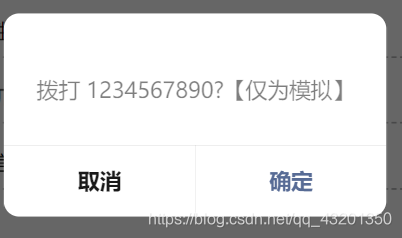
效果